Phone:
+971 58 633 1106
Physical address:
Abu Dhabi
Phone:
+971 58 633 1106
Physical address:
Abu Dhabi
A practical UAE guide to Matter 1.6, easier smart-home setup, multi-platform control, energy efficiency, safety and professional installation.
Smart-home technology is becoming easier to use, but many homeowners still face the same problem: a light, thermostat, sensor or camera may work well on its own yet refuse to cooperate with the rest of the home. Matter was created to reduce that fragmentation by giving compatible products a common way to communicate across major smart-home ecosystems.
The release of Matter 1.6 in June 2026 makes that promise more practical. It focuses on smoother setup, better coordination between ecosystems, more useful device-state information and controls that respond more intelligently to context. For UAE households—where cooling, energy efficiency, security and remote control are everyday priorities—those refinements can make a well-designed connected home more dependable.
Matter is an interoperability standard developed by the Connectivity Standards Alliance. A Matter-certified product is designed to work through a common application layer, allowing supported platforms and controllers to understand the device in a more consistent way.
In practical terms, this can reduce reliance on a separate app for every brand. A compatible light, lock, sensor or thermostat may be shared across more than one supported ecosystem, depending on the product and the features implemented by each platform. This is especially helpful in a family home where residents use different phones or voice assistants.
However, Matter is not a universal guarantee. The logo does not mean that every feature will be identical on every platform, that every older device can be upgraded, or that a product will work without the right controller, border router, Wi-Fi coverage or firmware. Compatibility should be confirmed for the exact model and ecosystem before purchase.
Matter 1.6 introduces tools for NFC-based commissioning. Where supported by the manufacturer and ecosystem, a user or installer can tap a compatible phone or device to begin onboarding—even when scanning a code is inconvenient. This is designed to make real-world setup faster and less error-prone.
Availability will vary. A Matter 1.6 specification feature is not automatically present in every product. Homeowners should look for explicit manufacturer support rather than assuming that any Matter device includes NFC commissioning.
Matter already supports multi-admin use, which allows a compatible device to be shared with more than one ecosystem. Matter 1.6 improves the tools available to ecosystems for coordinating device management. That can make a mixed-platform home easier to maintain.
The best experience still begins with a plan. Decide which platform will be the primary interface, which household members need access, and how guests, children or maintenance staff should be handled. Avoid adding every device to every platform without a clear reason; unnecessary complexity can make troubleshooting harder.
Matter 1.6 refines how devices describe their capabilities, operating state and safety-related information. It also gives platforms better tools to interpret controls according to user preference and context. The result should be fewer ambiguous controls and more useful automation—provided that both the device and the chosen ecosystem implement those functions.
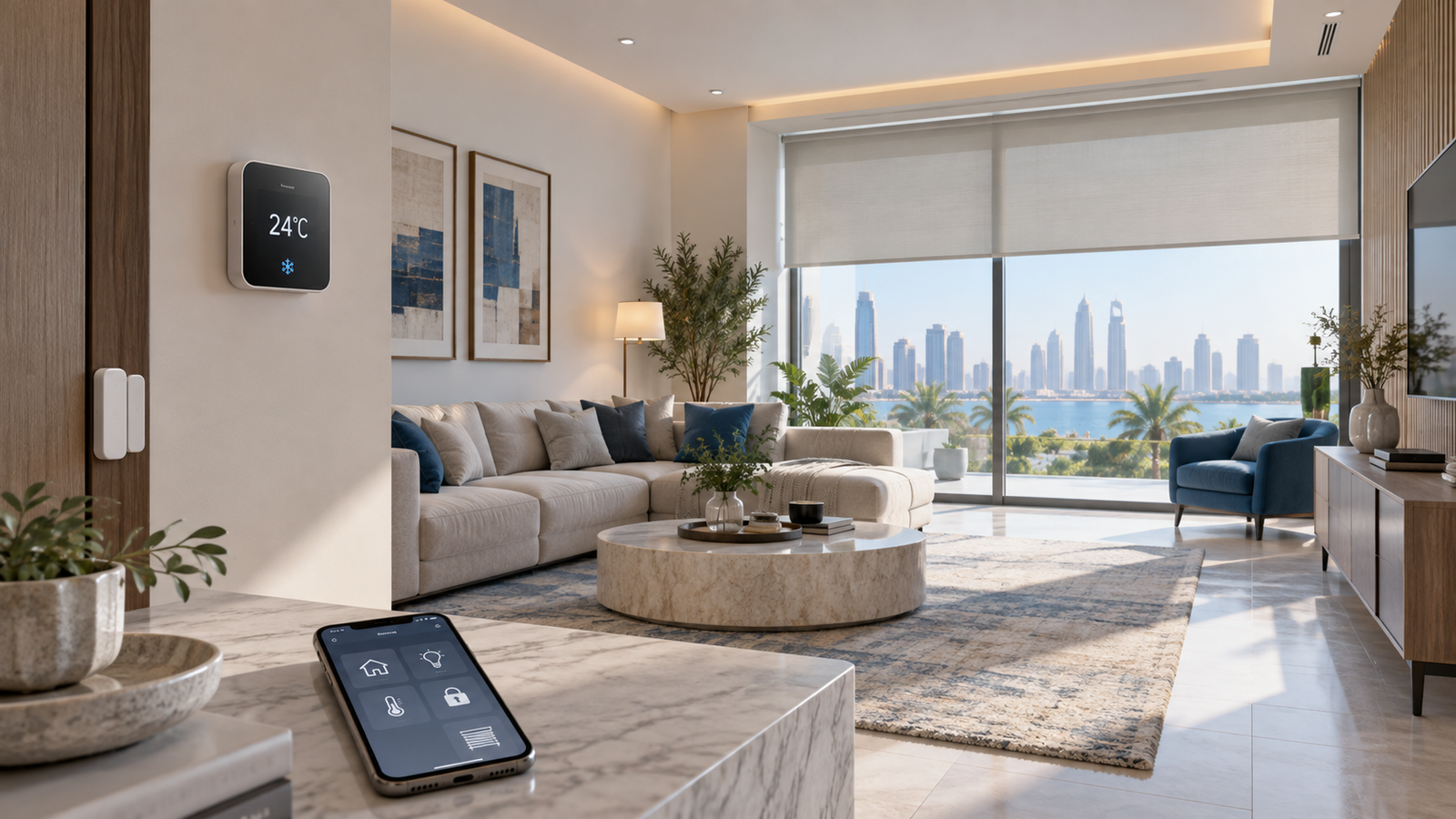
Air conditioning is one of the largest contributors to household electricity consumption in the UAE. DEWA recommends setting the thermostat to 24°C or higher in summer and states that each one-degree increase in the set point can save up to 5% of AC consumption. Its 2025 Energy Conservation Handbook also notes that smart thermostats can help optimise cooling based on preferences, building performance and weather, with potential savings of up to 20% in suitable applications.
A smart thermostat is not a substitute for a healthy AC system. Dirty filters, poor airflow, refrigerant problems, leaking ducts or badly sealed doors and windows can undermine both comfort and efficiency. Before installing smart control, have the cooling system inspected and confirm that the thermostat is electrically and technically compatible.
Matter-compatible lighting, sensors and switches can support practical routines such as switching off unused rooms, dimming evening lights or closing motorised blinds during the hottest part of the day. DEWA recommends efficient LED lighting and using curtains or blinds to reduce heat gain.
For reliability, keep physical wall controls wherever possible. A smart home should remain usable if the internet is unavailable, a phone battery is flat or a cloud service is temporarily down. Local control and clearly labelled circuits are part of professional installation.
Connected locks, cameras, doorbells and sensors can improve awareness, but security devices require extra care. Matter 1.5 introduced support for cameras and video doorbells, and Matter 1.5.1 refined camera streaming and related device behaviour. Matter 1.6 continues the focus on clearer device status and ecosystem trust.
Choose products that are officially supported in the UAE, keep firmware updated, enable strong account protection, and give each household member only the access they need. Critical life-safety systems such as fire detection should follow applicable UAE requirements and must not be replaced by consumer automations.
List the current devices, brands, network equipment and control platforms. Identify the real problems you want to solve: high cooling consumption, difficult lighting control, limited visibility while travelling, recurring appliance faults or weak security coverage. A clear objective prevents unnecessary purchases.
Check each proposed product for its exact Matter version, supported device functions, local voltage and installation requirements, UAE availability, warranty and after-sales support. Do not rely on the word “smart” alone.
Stable Wi-Fi, suitable Thread border-router coverage where required, sensible device placement and protected network credentials are the foundation of a dependable smart home. Large villas may need professionally planned access-point placement rather than multiple unmanaged extenders.
Use separate household accounts instead of sharing one password. Enable multi-factor authentication where available, remove access for former residents or contractors, and change default credentials. Keep essential controls available locally.
Electrical, HVAC and security work should be carried out by appropriately qualified professionals. After installation, test every automation under normal and failure conditions: internet offline, controller restarted, sensor battery low and manual override used.
Document the device model, room, circuit, warranty, controller, firmware status and reset procedure. This makes future repair, handover or expansion significantly easier.
A connected appliance that performs poorly may have a mechanical or electrical fault rather than a software problem. A refrigerator with a damaged door seal, dirty condenser coils or incorrect temperature setting can waste energy regardless of app features. An AC with blocked filters will not become efficient simply because it has a smart thermostat.
Professional diagnosis can determine whether cleaning, component replacement or configuration is the sensible option. Repairing a serviceable appliance often costs less and produces less waste than replacing it solely to add connectivity. When replacement is justified, choose an efficient model with dependable local support and only then consider how it should integrate with the smart-home system.
Planning a smarter, more reliable home? Ask Bayti360 to assess your devices, network and maintenance needs before you invest, or explore our smart-home and appliance services.
No. Matter improves interoperability for certified devices and supported functions, but feature availability still depends on the exact model, firmware, controller and ecosystem.
Possibly, but not automatically. The manufacturer decides whether a specific model receives an update and whether its hardware can support the new functions.
Many Matter interactions can operate locally, but behaviour depends on the device, controller and automation design. Cloud-dependent features, remote access and some voice services may be unavailable during an outage.
It can help when it is compatible, correctly installed and paired with a well-maintained AC system. Savings vary with the building, usage pattern, set point and equipment condition; they are not guaranteed.
Not necessarily. First diagnose performance and maintenance issues. Smart plugs or sensors may add monitoring to suitable appliances, but high-load or safety-critical equipment must use correctly rated products and professional installation.
Ask for a written scope, compatibility list, network plan, warranty details, after-sales support, privacy and access-control approach, manual override design and final system documentation.